Which barcode should a Shopify product have?
Shopify gives every variant two separate fields: SKU and Barcode. They are not interchangeable, and what you put in Barcode has consequences outside your store.
| Your situation | Barcode field | Label to print |
|---|---|---|
| You resell branded products | The UPC or EAN printed on the product | None needed. It is already on the pack. |
| Your own brand, with GS1 numbers | Your licensed UPC or EAN | UPC-A or EAN-13, made above |
| Your own brand, no GS1 numbers | Leave empty | Your SKU as Code 128 |
| Handmade, custom or one-off items | Leave empty | Your SKU as Code 128, if you scan at all |
Why you should not invent a number for the Barcode field
Shopify's sales channels read the Barcode field as the product's GTIN. When you connect Google, or a marketplace integration, that value is sent along with the listing. A number you made up will either belong to another company's product or to nobody, and both cases cause trouble:
- Google Merchant Center flags it as an invalid or mismatched GTIN and can disapprove the product.
- Marketplaces may attach your listing to a different product that really owns the number.
- An empty field is safe. Google accepts products with no GTIN when the manufacturer never assigned one.
So the honest rule is short: real GTIN or nothing. The guide on whether you need a GS1 UPC covers when buying numbers is worth it.
Labelling stock when you have no UPCs
You do not need licensed numbers to run a barcode-driven stockroom. Scanners do not care what the bars say, only that the value matches something in your system.
- Give every variant a SKU. If you have none yet, the SKU generator builds them from product names and options.
- Choose Code 128 above and enter the SKU, or paste the whole SKU column into the bulk barcode generator.
- Print on label sheets and stick one on each unit or bin.
- Scan with any USB or Bluetooth scanner into the Shopify admin search box, which finds variants by SKU.
One limit to know: camera scanning in the Shopify mobile app and Shopify POS is built around the Barcode field, not the SKU. If you rely on those, you can put the same internal code in both fields, as long as that store does not publish to Google or marketplaces.
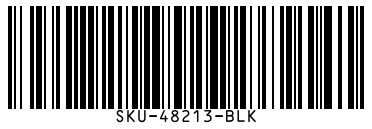
Adding barcodes to many products at once
Typing barcodes one by one is slow past a few dozen products. Shopify's bulk editor has a Barcode column you can paste a spreadsheet column into, and the product CSV export has a Variant Barcode column you can fill and re-import. Before you paste, run a few numbers through the check digit calculator. A single digit lost when a spreadsheet stripped a leading zero is the usual cause of a bad import.
Format and size for Shopify labels
For retail units, a UPC-A at 80% to 100% fits a 1.5 by 1 inch label. For Code 128 SKU labels, 2 by 1 inch thermal labels or 30-up address sheets both work well with SKUs of up to about 12 characters. Selling outside North America with EAN numbers? The EAN-13 generator has the detail on prefixes and sizing.